
1win App for Android, iPhone and Windows
1win runs in any mobile browser, but it also offers its own apps for Android, iPhone and Windows. Here is what each version is good for, how to install the Android app safely when it is not in Google Play, and when the mobile site is all you need.
Get the 1win app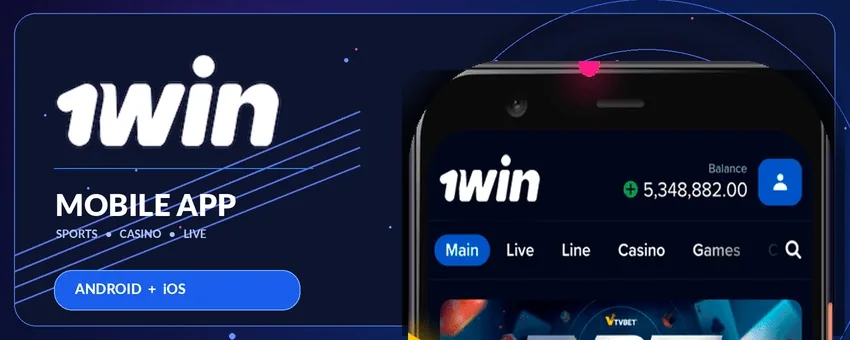
Three Versions, One Account
Whichever version you use, you log in with the same 1win account: your balance, open bets, bonuses and history are identical on the phone, the laptop and the desktop app. That means you can register on your computer, deposit on your phone and follow a live match in the Windows app without anything getting out of sync.
1win for Android
The Android app is distributed as an APK file directly by 1win rather than through Google Play, which restricts real-money gambling apps in many countries. Installing it takes a minute:
- Open 1win in Chrome on your phone through our button.
- Choose the Android app download and save the APK file.
- When Android asks, allow installation from this source.
- Open the downloaded file and confirm the installation.
- Launch the app, log in, and switch the “unknown sources” permission off again in your settings.
Only ever install the file from 1win itself. APK files passed around in chats, groups or forums can be modified to steal login details, and a stolen account is much harder to recover than a missed download.
1win for iPhone and iPad
On iPhone, the 1win app is installed straight from Safari: you add 1win to your home screen, and from then on it opens full screen with its own 1W icon, just like any other app. The short video below shows the whole process.
- Open 1win in Safari through our button.
- Tap the Share icon in the bar at the bottom of the screen.
- Scroll down and tap “Add to Home Screen”.
- Tap “Add” in the top-right corner.
- The 1win icon appears on your home screen – tap it to start.
Because the iPhone version runs through Safari, it never needs an App Store update and takes up almost no storage. The same steps work on an iPad.
1win for Windows
For desktop players there is a Windows app, downloaded from the 1win site. It is handy if you follow live matches on a big screen or keep several casino games and betting markets open at once, and it saves you from logging in through the browser every time.
App or Mobile Site?
| Mobile site | App | |
|---|---|---|
| Installation | none | APK on Android, home screen icon on iPhone, download on Windows |
| Storage | none | some |
| Speed | depends on the browser | usually faster to open |
| Stays signed in | sometimes | yes |
| App-only promotions | no | sometimes |
| Updates | automatic | install new versions when asked |
If you only play now and then, the mobile site is enough. If 1win is part of your routine, the app is quicker to open, and 1win occasionally runs offers only for app users.
What You Can Do in the App
- Register, enter the promo code and verify your account with your phone camera.
- Deposit and withdraw with cards, e-wallets, local methods and crypto.
- Play slots, live dealer tables, crash games such as Aviator and 1win's own originals.
- Bet on sport before and during matches, with live odds and match trackers.
- Claim and track promotions, including the welcome offer on your first four deposits.
- Reach support through live chat at any time.
Keep the App Running Smoothly
Most problems come from an outdated version or a weak connection. Install updates when the app offers them, keep a few hundred megabytes free on your phone, and switch to Wi-Fi for live dealer streams, which use far more data than slots. If the app stops opening after an update, remove it and install the latest version from 1win again – your account and balance are stored on 1win's side, not on the phone. More fixes are on our troubleshooting page.
Stay Safe on Your Phone
Lock your phone with a PIN, fingerprint or face recognition if you stay logged in, avoid public Wi-Fi when you sign in, and never save your 1win password on a device other people use. If your phone is lost or stolen, change your password from another device straight away.
App Questions
Why is the 1win app not in Google Play?
Google Play restricts real-money gambling apps in many countries, so 1win distributes the Android app as an APK from its own site.
Is the APK safe?
Yes, as long as you download it from 1win itself and not from a chat, group or forum.
Is there a 1win app for iPhone?
Yes. On iPhone you add 1win to your home screen from Safari: tap Share, then “Add to Home Screen” and “Add”.
Do I need a separate account for the app?
No. You log in with your usual 1win account, and your balance and bonuses carry over.
Can I use the promo code in the app?
Yes, if you register in the app. The code can only be entered during registration.
Last updated: October 2026